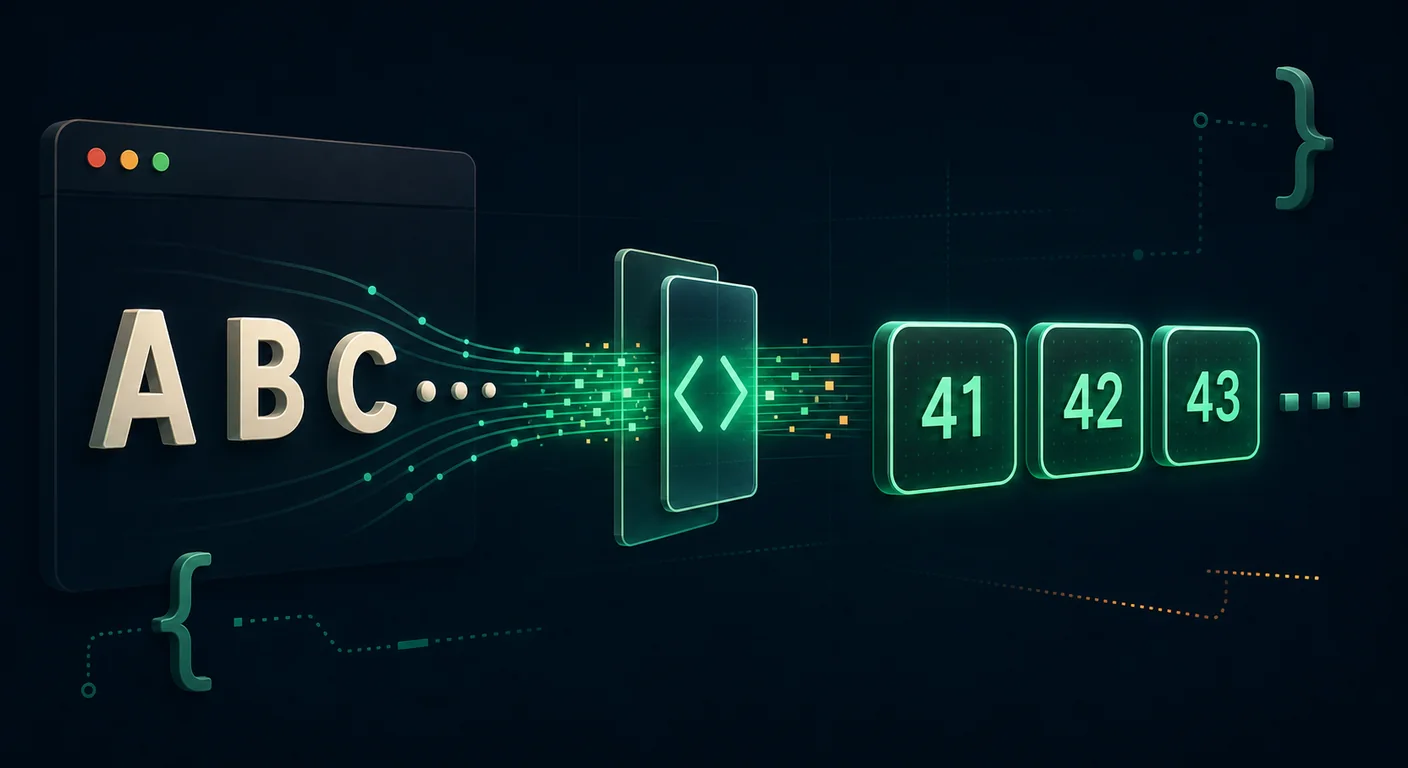
Text-to-hex conversion encodes a string as bytes and writes each byte with two base-16 digits. Developers use it for protocol fixtures, firmware constants, escaped byte strings, and database binary literals.
This guide covers the reverse of hex to ASCII conversion. It implements the operation in Python, JavaScript, C, and shell, then checks encoding, padding, whitespace, and output formatting.
The text to hex tool handles manual conversion in the browser.
What "ASCII to Hex" Means
ASCII assigns a number from 0 to 127 to each character. The letter A is 65, a space is 32, and the digit 0 is 48. One byte fits into two hexadecimal digits (00 to FF).
ASCII-to-hex conversion uses two steps:
- Find each character's numeric code point (its ASCII value).
- Write that number in base-16, padded to two digits.
The word Hi becomes 4869: H is decimal 72 and hex 48; i is decimal 105 and hex 69. This operation represents bytes as text. It does not compress or protect the data.
How to Convert Text to Hex by Hand
The string Cat! maps to these values:
| Character | ASCII (decimal) | Hex |
|---|---|---|
C |
67 | 43 |
a |
97 | 61 |
t |
116 | 74 |
! |
33 | 21 |
Concatenate the hex column and you get 43617421. To go from a decimal value to two hex digits manually: divide by 16, the quotient is the first digit, the remainder is the second. For C (67): 67 ÷ 16 = 4 remainder 3, so 43. Values 10–15 become the letters A–F.
A few sanity checks worth memorizing:
- Uppercase letters
A–Zare41–5A. - Lowercase letters
a–zare61–7A. - Digits
0–9are30–39. - Space is
20, newline is0A, tab is09.
Within the ASCII alphabet, each lowercase code is 0x20 (32) higher than its uppercase counterpart. Code that uses this relationship must first confirm that the input is an ASCII letter.
Converting ASCII to Hex in Code
Python
Python's bytes type does the heavy lifting. The .hex() method is the canonical one-liner:
text = "Hello World"
hex_string = text.encode("ascii").hex()
print(hex_string)  # 48656c6c6f20576f726c64
bytes.hex() accepts a separator in supported Python versions, and .upper() changes the display case:
data = "Hello".encode("ascii")

print(data.hex())            # 48656c6c6f
print(data.hex(" "))         # 48 65 6c 6c 6f
print(data.hex(" ").upper()) # 48 65 6C 6C 6F
If your text might contain non-ASCII characters, encode as UTF-8 instead. UTF-8 has no big-endian or little-endian variants:
"café".encode("utf-8").hex() # 636166c3a9; 'é' is two bytesJavaScript (Node.js and the Browser)
In Node, Buffer mirrors Python's approach:
const hex = Buffer.from("Hello World", "utf8").toString("hex");
console.log(hex); // 48656c6c6f20576f726c64
In the browser there's no Buffer, so use TextEncoder to get the bytes, then map each to a padded hex pair:
function textToHex(text) {
  const bytes = new TextEncoder().encode(text); // Uint8Array, UTF-8
  return Array.from(bytes)
    .map(b => b.toString(16).padStart(2, "0"))
    .join("");
}

console.log(textToHex("Hi!")); // 486921
Without padStart(2, "0"), the byte 0x09 would render as 9 and remove the byte boundary from the output.
C
In C you iterate the bytes directly and let printf format them:
#include <stdio.h>

int main(void) {
    const char *text = "Hi!";
    for (const unsigned char *p = (const unsigned char *)text; *p; p++) {
        printf("%02x", *p);   // %02x = lowercase, zero-padded, 2 wide
    }
    printf("\n");             // prints 486921
    return 0;
}
Use unsigned char so integer promotion does not treat bytes above 0x7F as negative values. Swap %02x for %02X for uppercase output.
Command Line
The shell has several one-liners, handy inside scripts or pipelines:
# xxd: -p plain hex, no offsets/ASCII column
printf '%s' "Hello" | xxd -p
# 48656c6c6f

# od: choose 1-byte hex output, strip the offset column
printf '%s' "Hi" | od -An -tx1
#  48 69

# hexdump with a custom format string
printf '%s' "Hi" | hexdump -v -e '/1 "%02x"'
# 4869
Use printf '%s' rather than echo, because echo may append a newline (0a) and some shells interpret backslashes. Either behavior changes the encoded bytes.
Controlling the Output Format
"Text to hex" doesn't have one canonical layout. Depending on where the hex is going, you'll want different formatting:
| Style | Example | Where it's used |
|---|---|---|
| Continuous lowercase | 48656c6c6f |
Database literals, hashes, compact storage |
| Space-separated | 48 65 6c 6c 6f |
Hex editors, packet dumps, human reading |
0x-prefixed bytes |
0x48 0x65 0x6c |
C arrays, embedded constants |
\x escapes |
\x48\x65\x6c |
C/Python string literals, shell printf |
| Colon-separated | 48:65:6c:6c:6f |
MAC-style / TLS fingerprints |
| Uppercase | 48656C6C6F |
RFCs, some protocol specs |
Hex is case-insensitive: 4f and 4F are the same byte. Pick one display style and use it consistently within a project.
Failure Cases
Your text isn't actually ASCII
ASCII only covers 0–127. The moment you include é, —, ™, an emoji, or a "smart quote" pasted from a word processor, you're outside ASCII. Encoding APIs do not share one fallback rule: strict ASCII encoders commonly reject those characters, while APIs configured for UTF-8 encode them as multiple bytes. In UTF-8, é is c3 a9 and 😀 is four bytes (f0 9f 98 80). Always select the encoding explicitly so downstream byte offsets and validation rules remain predictable. For a deeper look, see ASCII vs UTF-8 vs Unicode.
Invisible whitespace and line endings
A trailing space, a tab, or a Windows-style \r\n line ending all encode to real bytes (20, 09, 0d 0a). If your hex output is two characters longer than you expect, check for a stray newline — this is the classic "but I only typed five letters" surprise.
Byte order depends on the character encoding
ASCII and UTF-8 define an ordered byte sequence and have no big-endian or little-endian variants, so do not reverse their byte pairs. UTF-16 and UTF-32 do have BE and LE forms because their code units span multiple bytes; a BOM, protocol field, or file-format specification must identify the expected form. Endianness also matters for multi-byte numeric fields.
Padding and odd lengths
Because every byte is exactly two hex digits, valid hex produced from text has an even number of characters. An odd-length result indicates that an encoder omitted a leading zero or the output was truncated. Do not repair it by guessing where a zero belongs; fix the producer or consult the surrounding format.
Practical Use Cases
- Building protocol test vectors. Hand a parser a known hex payload and assert the decoded result. Encoding your expected text to hex gives you the fixture.
- Embedding constants in C/assembly. Magic numbers, signatures, and lookup tables are often written as hex byte arrays.
- Escaping for shells and URLs. Percent-encoding (
%48) and\x48escapes are hex under the hood; knowing the byte values lets you craft or debug them. - Storing binary in text columns. Some databases accept hex literals (e.g.
X'48656C6C6F') forBLOB/BINARYcolumns. - Generating fingerprints and IDs. Colon-separated hex is the standard display format for hashes and certificate thumbprints.
FAQ
How do I convert ASCII text to hex in Python?
Encode the string to bytes and call .hex(): "Hello".encode("ascii").hex() returns 48656c6c6f. Add a separator for readability with "Hello".encode().hex(" "), and .upper() for uppercase. Use .encode("utf-8") instead of "ascii" if the text may contain accented or non-Latin characters.
Is text-to-hex the same as Base64 or URL encoding?
No. Hex and Base64 are reversible binary-to-text encodings; percent-encoding escapes selected bytes for URI components. Hex uses two characters per byte. Standard Base64 uses four characters per three bytes and includes + and /; URL-safe contexts typically use the separate base64url alphabet from RFC 4648. None of these formats encrypts or authenticates the data. See the comparison table in our hex to ASCII guide.
Should hex output be uppercase or lowercase?
Either works — hex is case-insensitive, so 4f and 4F represent the identical byte. Lowercase is more common in programming and tooling (Python, Git, xxd all default to it); uppercase appears in some RFCs and protocol specs. Just stay consistent within a codebase.
Why is my hex twice as long as the number of characters?
Hex output is always exactly twice the encoded byte count, because every byte needs two hex digits. It is twice the character count only for one-byte text such as ASCII. Multi-byte UTF-8 characters make the output longer, while hidden whitespace adds its own bytes.
How do I add spaces or 0x prefixes between bytes?
Format after conversion. In Python, data.hex(" ") inserts spaces. For 0x prefixes or \x escapes, map over the byte pairs and prepend the prefix to each. The text to hex tool also offers spacing and prefix options without writing any code.
Can I convert text with emojis to hex?
Yes, but encode as UTF-8, not ASCII — emojis are outside the ASCII range and occupy multiple bytes (a typical emoji is four bytes). "😀".encode("utf-8").hex() returns f09f9880. Decoding it back requires reading those four bytes together as one UTF-8 sequence.
Summary
Encode the string into bytes, write each byte as two hex digits, and apply separators only after conversion. For one-off work, the text to hex tool formats the result. In code, use bytes.hex(), Buffer.toString("hex"), or a %02x loop and keep the selected character encoding explicit.